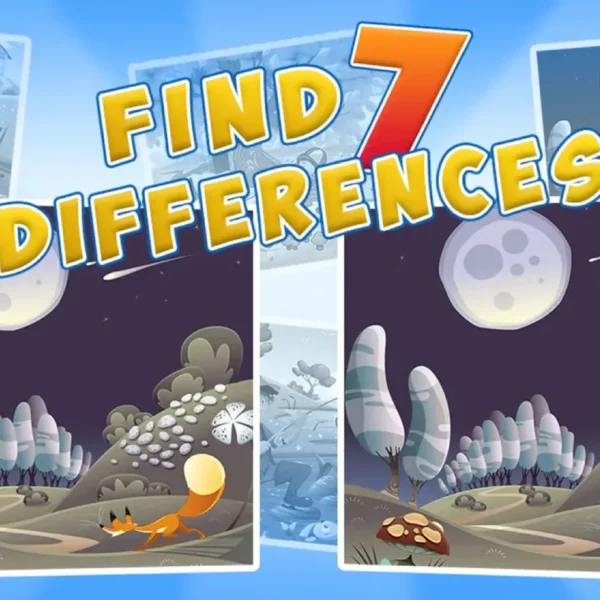
Hidden object games ask one thing of you: find what the picture is hiding. You are shown a busy, detailed scene and a short list of things to locate, and you search until every item is checked off. This guide explains how to play hidden object games from a standing start — what the genre is, how you control it, and the small habits that turn a slow, squinting hunt into a quick, satisfying one. No experience is needed. If you can point and click, you can play.
What a Hidden Object Game Is
A hidden object game is a picture-search puzzle. The screen shows one richly drawn scene — a cluttered room, a market stall, a forest clearing — and somewhere inside it sit the things you have been asked to find. Locate each one, click or tap it, and it leaves the list. Clear the list and the scene is solved. It is an observation puzzle, not an action game: nothing chases you and quick reflexes count for little. A steady eye and a bit of patience count for everything.
The label covers a small family of related styles. Classic seek-and-find games hand you a checklist of objects in a single scene. Spot-the-difference puzzles show you two near-identical pictures and ask what changed between them. Story-driven adventures string several scenes together and let you carry found items from one to the next. The core act — searching a picture for something concealed in it — stays the same throughout.
Where the Genre Comes From
The idea of hunting for things in a picture is older than video games. It runs through I Spy photo books and the crowded Where’s Wally? illustrations that a generation grew up combing. The playable form found its feet on the PC in the mid-2000s, when studios such as Big Fish Games built entire catalogues of hidden object adventures — the Mystery Case Files series among the best known — and turned the picture hunt into a genre of its own. Browser games like the ones here are the light, instant descendants of that era: the same careful search, no install required.
The Core Loop, Step by Step
Almost every hidden object game runs on the same short loop. Learn it once and every new title feels familiar:
- Read the list first. Knowing the names of what you are hunting shapes how your eye moves across the scene.
- Pick a corner and sweep. Work the picture in a pattern — left to right, top to bottom — instead of darting around at random.
- Hunt by shape, not just colour. Many objects are tucked against a background of the same shade, so an outline gives them away faster than a colour does.
- Search the busy spots and the edges. Clutter and the frame of the picture are where things hide best.
- Click or tap each item the moment you spot it, and watch it drop off the list.
- Use a hint only when truly stuck — many games offer one, and saving it for a genuine wall keeps the puzzle rewarding.
- Clear the list to finish the scene and move on to the next.
Controls: Mouse, Touch, and Little Else
The whole genre is built for one finger. On a computer you left-click an object to collect it; on a phone or tablet you tap it. There is nothing to memorise, no key combinations, no rush. Every title in our catalogue runs free in the browser — no download and no account — so you open a scene and start searching in seconds. If a game supports zooming, a scroll or a pinch pulls a crowded corner closer, which is often all you need to break a scene open.
How You Win, and Whether You Can Lose
Most hidden object games are won the same quiet way: find everything on the list and the scene is complete, often opening the next one. Losing is rarer than in most genres. Many titles have no fail state at all — you simply keep looking until you find each item — which is a large part of why the genre feels so relaxing. Some add a light layer on top: a score for speed, a countdown to beat, or a small penalty for wild clicking. Whether any of that applies depends on the specific game, so treat a timer or a score as a bonus mode rather than something the genre demands. If you just want to search in peace, plenty of titles let you.
Techniques That Make You Faster
Anyone can find things eventually; the fun is in finding them well. A few honest habits do most of the work:
- Read the object, then picture it. Saying the name to yourself — “a red umbrella” — primes your eye to catch that exact silhouette.
- Look for the out-of-place. An item at the wrong size, tilted at an odd angle, or peeking from behind another object stands out once you expect it.
- Scan the borders. Designers love the edges and corners, where a shape can hug the frame and go unnoticed.
- Rest your eyes. When a scene starts to look flat, glance away for a few seconds. Fresh eyes catch what tired ones slide past.
- Change the brightness. On a dim scene, nudging your screen brighter can pull a shadowed object out of the murk.
The Main Styles You Will Meet
As you play more, you will notice hidden object games branch into a few recognisable shapes. Knowing them helps you pick what suits your mood:
- Seek-and-find — a checklist of objects in one scene, open-ended and low-pressure. A gentle place to begin.
- Spot-the-difference — two pictures side by side; find every change. Sharper and more comparative.
- Mystery and escape — searching in service of a story: gather clues or the items that unlock a door.
- Grid and letter logic — cousins like the nonogram and word search, where you reason or read rather than scan.
Common Beginner Mistakes
Three habits slow new players down. The first is rushing — sweeping the scene twice as fast finds half as much. The second is hunting by colour alone, which fails the moment an object is drawn to blend in. The third is skipping the edges and the densest clutter, exactly where designers hide the last stubborn item on the list. Slow down, hunt by shape, and work the busy corners, and the whole genre opens up.
Two branches of the search family now have guides of their own: what escape games are and how they play, and how spot the difference games work.
The oldest relative of all these games has its own page now: what I spy means and how the spoken game is played.
Frequently Asked Questions
How do you play a hidden object game?
You are given a list of items and a detailed scene. Search the scene for each item and click or tap it to collect it. When every item on the list is found, the scene is complete. It rewards careful looking rather than fast reflexes.
Are hidden object games free to play online?
Yes. Every hidden object game in our catalogue runs free in your browser with no download and no account — open one and start searching straight away.
Do hidden object games have a time limit?
It depends on the title. Many hidden object games are untimed and let you search at your own pace, while some add a countdown or a score for extra challenge. The relaxed, no-clock style is the most common in the genre.
What is the difference between hidden object and seek-and-find games?
They overlap heavily. “Seek-and-find” usually means the classic checklist style — find listed objects in one scene — while “hidden object” is the wider umbrella that also covers spot-the-difference, mystery and escape-style picture searches.
Do I need to download anything to play?
No. These games run in the browser on desktop, tablet and phone. There is nothing to install and no sign-up — you click or tap to play.
Are hidden object games good for beginners?
Very. The rules are learned in one scene, there is no failure state to fear in most titles, and the difficulty climbs gently. Seek-and-find scenes are the easiest on-ramp into the genre.
Where to Start Playing
Pick one of these browser scenes and put the loop into practice:
- Find It Out — a straight checklist hunt through detailed rooms, ideal for a first search.
- Hunt and Seek — calm, busy scenes with a steady climb in difficulty.
- Secret Rooms — a mystery hunt for when you want a little more atmosphere behind the search.
Or browse the full catalogue of hidden object games and choose a scene that catches your eye.
Related Articles
- What Is a Nonogram? How to Read the Clues and Solve One
- Best Hidden Object Games for Adults
- Are Hidden Object Games Good for Your Brain?
Games mentioned in this article
- Christmas Mysteries — filed under Christmas
- Find the Cat — filed under I Spy & Seek and Find
- Hidden Library — filed under City & House
- Find It Out — filed under I Spy & Seek and Find
- Find the Teddy Bear — filed under Garden & Animals
- 100 Doors Challenge — filed under Escape Room